JWT attacks
Lab: JWT authentication bypass via unverified signature
This lab uses a JWT-based mechanism for handling sessions. Due to implementation flaws, the server doesn’t verify the signature of any JWTs that it receives.
To solve the lab, modify your session token to gain access to the admin panel at
/admin, then delete the usercarlos.You can log in to your own account using the following credentials:
wiener:peter
JWT 库通常提供一种验证令牌的方法和另一种解码令牌的方法。例如,Node.js 库jsonwebtoken就提供了verify()这两种方法decode()。
有时,开发者会将这两种方法混淆,只将传入的令牌传递给其中一种decode()方法。这实际上意味着应用程序根本没有验证签名。
这个实验就是没有验证签名的情况,直接改payload就行了,不用签名。
Lab: JWT authentication bypass via flawed signature verification
This lab uses a JWT-based mechanism for handling sessions. The server is insecurely configured to accept unsigned JWTs.
To solve the lab, modify your session token to gain access to the admin panel at
/admin, then delete the usercarlos.You can log in to your own account using the following credentials:
wiener:peter
我们知道,JWT的任何字段用户都可以控制,一旦服务器没有校验完全,就会产生漏洞。JWT 的 header 头保存了签名算法的信息,如果如果服务器:没有明确禁止 alg=none,那么如果我设置如下的 header,服务器就不会去校验 JWT 中的签名。
1 | { |
值得注意的是,当签名算法置空之后,JWT 的签名字段也应该置空。
根据 JWT RFC 7519:
当 “alg”: “none” 时,JWT 不应包含签名
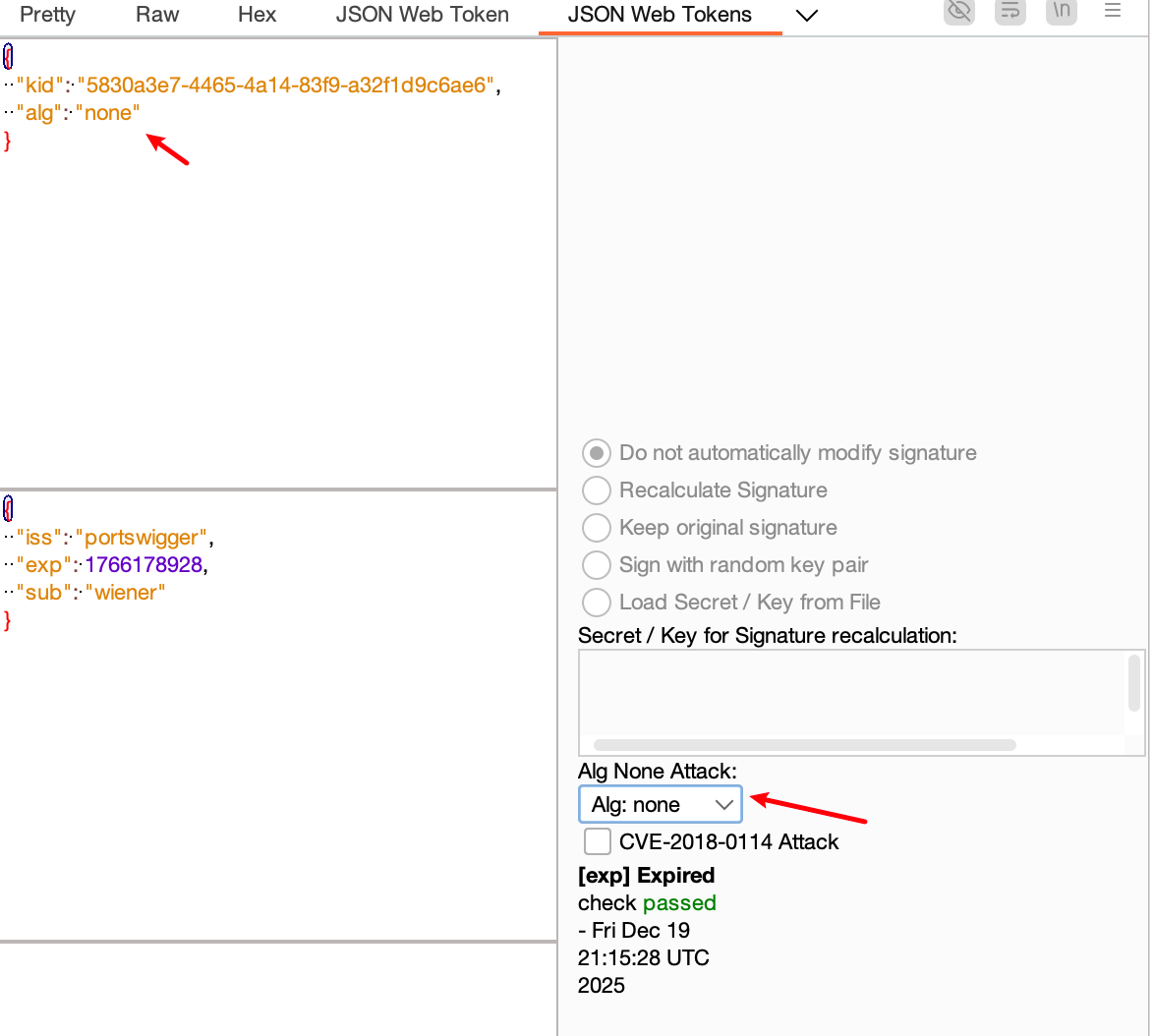

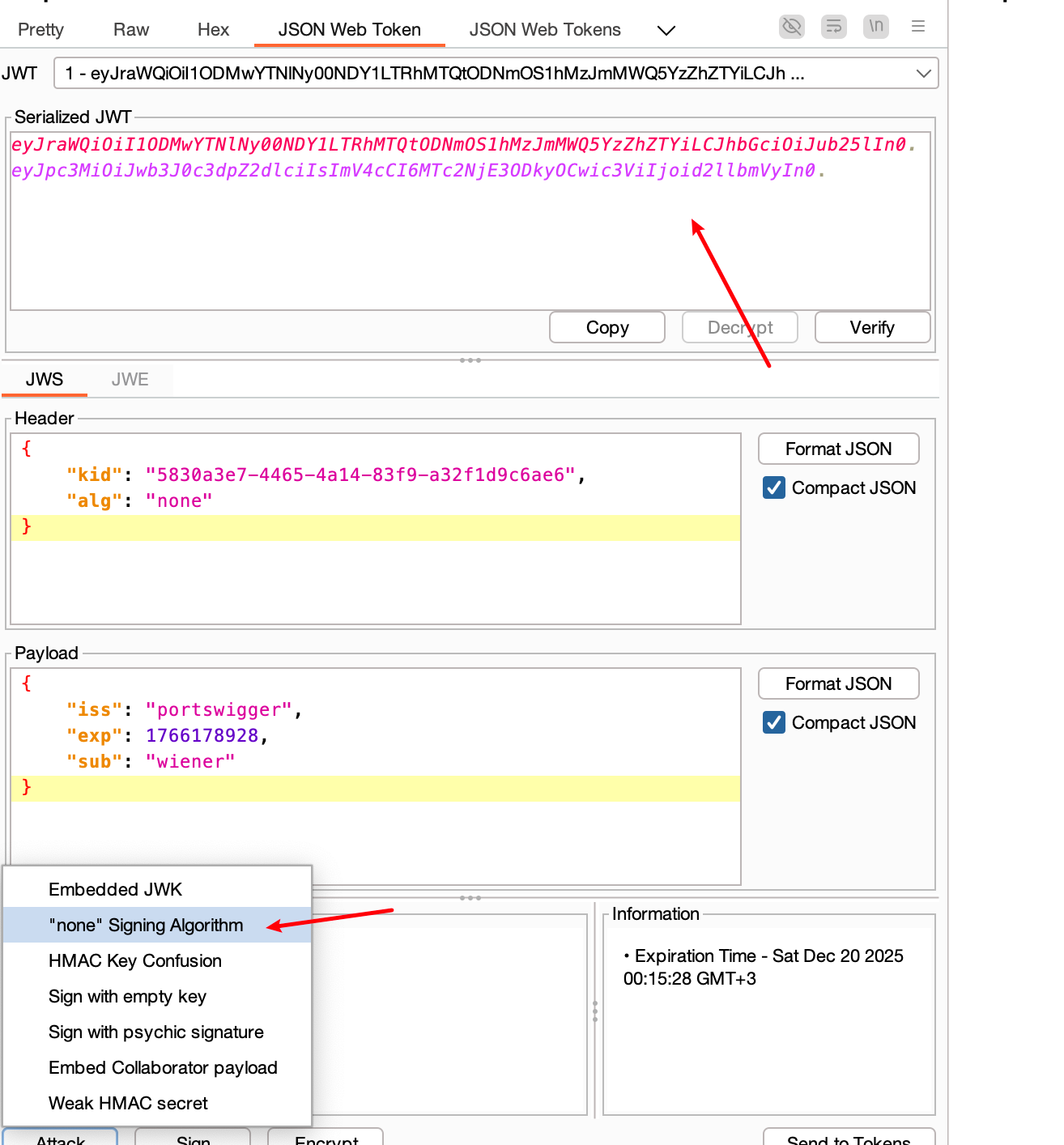
如上图,两款插件都能完成
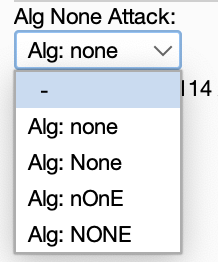
假如服务器只做了简单字符串判断(比如 if alg != “none”),我们也可以通过大小写,或者字符编码绕过
| 绕过方式 | 示例 |
|---|---|
| 大小写混淆 | “alg”: “None” |
| Unicode 编码 | “alg”: “\u006e\u006f\u006e\u0065” |
| 空格 | “alg”: “ none “ |
| 非预期算法 | “alg”: “NONE” |
Lab: JWT authentication bypass via weak signing key
This lab uses a JWT-based mechanism for handling sessions. It uses an extremely weak secret key to both sign and verify tokens. This can be easily brute-forced using a wordlist of common secrets.
To solve the lab, first brute-force the website’s secret key. Once you’ve obtained this, use it to sign a modified session token that gives you access to the admin panel at
/admin, then delete the usercarlos.You can log in to your own account using the following credentials:
wiener:peter
可以利用 hashcat 和 JWT字典 去撞签名算法所需要的密钥
1 | hashcat -a 0 -m 16500 JWT /Users/she11f/tools/dict/jwt.secrets.list |
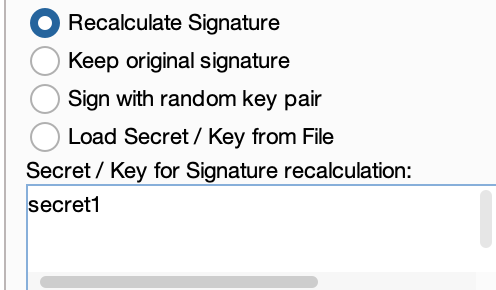
得到 key = secret1

之后修改 payload 再用我们得到的密钥重新签名即可
Lab: JWT authentication bypass via jwk header injection
This lab uses a JWT-based mechanism for handling sessions. The server supports the
jwkparameter in the JWT header. This is sometimes used to embed the correct verification key directly in the token. However, it fails to check whether the provided key came from a trusted source.To solve the lab, modify and sign a JWT that gives you access to the admin panel at
/admin, then delete the usercarlos.You can log in to your own account using the following credentials:
wiener:peter
介绍一些非对称加密中的 jwt header 参数
jwk(JSON Web Key) - 提供 json 对象代表服务器检验签名的密钥,在非对称加密里就是公钥kid(Key ID) - 如果有很多 key ,指定 kid 的话就能告诉服务器要用哪个 key 来校验签名
1 | { |
比如这么一个 header,用的是 RSA 算法签名,服务器先用私钥签名分发给客户端,然后服务器拿公钥验证服务端传过来的 JWT 签名是否正确(这点和用RSA加密数据相反,用公钥加密数据,用私钥解密)
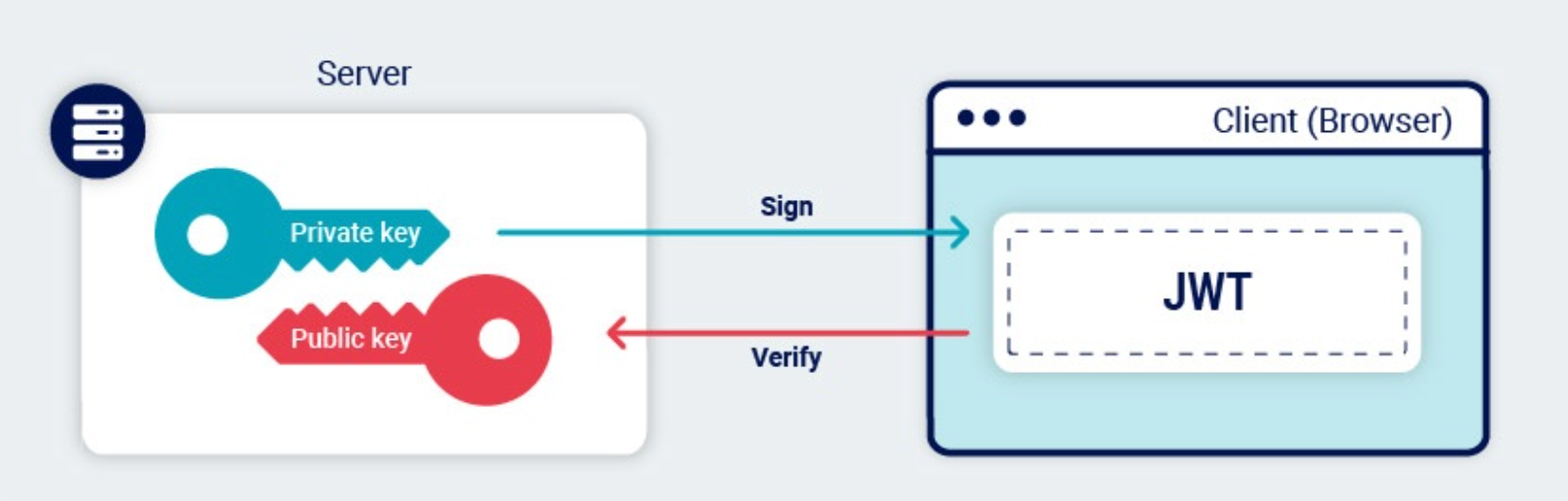 攻击者能控制“服务器用哪把钥匙来验签”,所以我们可以伪造header,伪造公钥.
我们先要用插件生成 RSA 私钥用来签名
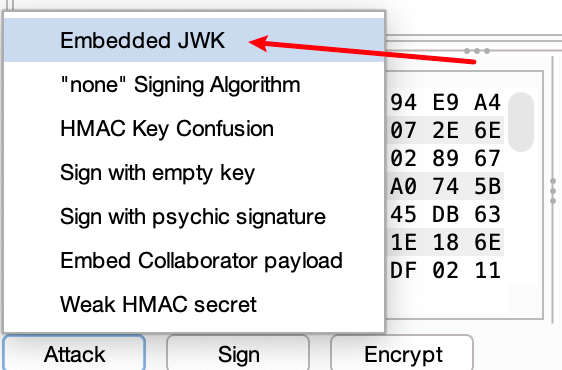
插件选择 Embedded JWK ,然后会跳出弹窗让我们选择我们生成的 RSA 私钥,点击后配套的公钥就生成了
1 | { |
e 就是 base64 编码后的 65537,n 也是 baseurl 编码后的两个大质数相乘的乘积,公钥 = (e, n)
这样服务器就拿着我们给的公钥去验证我们给的私钥计算的签名,当然可以成功解析。当然,修改 payload 之后记得重新点击 sign 按钮重新计算签名
Lab: JWT authentication bypass via jku header injection
This lab uses a JWT-based mechanism for handling sessions. The server supports the
jkuparameter in the JWT header. However, it fails to check whether the provided URL belongs to a trusted domain before fetching the key.To solve the lab, forge a JWT that gives you access to the admin panel at
/admin, then delete the usercarlos.You can log in to your own account using the following credentials:
wiener:peter
依旧是 header 注入,这次换了一个参数
jku(JSON Web Key Set URL) - 这个参数提供一个链接,里面是一个 json 对象,包含了 JWK 集合(JWK Set),有很多密钥,可以引用这个链接来获取指定的密钥,当然是根据 kid 来指定使用的密钥。
1 | { |
所以我们根据插件生成的 rsa 密钥右键选择 copy as JWK
1 | { |
然后在服务器上挂载 JWK Set
1 | { |
然后 header 头添加 jku 参数
1 | { |
最后修改完所有 jwt 字段后记得重新签名一次就能发送出去了
Lab: JWT authentication bypass via kid header path traversal
This lab uses a JWT-based mechanism for handling sessions. In order to verify the signature, the server uses the
kidparameter in JWT header to fetch the relevant key from its filesystem.To solve the lab, forge a JWT that gives you access to the admin panel at
/admin, then delete the usercarlos.You can log in to your own account using the following credentials:
wiener:peter
Header 还有一个可选参数 kid ,kid 呢就是告诉服务器去用哪个密钥来验证签名,不同程序员再设计服务器时实现这种依据 kid 来读取密钥的方式肯定也是有所不同的
比如说:
kid 可以指向数据库里存储的一条数据,后端拿到 kid 后,向数据库发起查询
1
SELECT key FROM keys WHERE kid = ?
密钥存储在文件里,比如说后端中,密钥存储在 /keys/ 文件夹下的文件中,kid 就是文件名,所以后端获取密钥的逻辑就可能如下所示
1
2
3
kid = jwt.header.kid
key = readFile("/keys/" + kid)
verifyJWT(token, key)
这题的情况就是第二种,通过文件名来映射 kid 以此获取密钥,所以当我们能设置 kid 的时候相当于控制了文件名,假如能结合目录遍历,就能读取任意文件内容作为 key 值。
如果是对称加密的话那就很危险了,我们可以指定任意文件,然后文件内容我们知道的话就相当于知道了密钥,就能根据这个密钥签名了。
找到这么一个文件也是一种学问,就比如 /dev/null 这个文件每个 linux 系统上都有,而且这个文件为空,用这个文件做 kid 就相当于密钥恒为空
1 | { |
然后再 attack 模块选择 “Sign with empty key” 即可。
Lab: JWT authentication bypass via algorithm confusion
This lab uses a JWT-based mechanism for handling sessions. It uses a robust RSA key pair to sign and verify tokens. However, due to implementation flaws, this mechanism is vulnerable to algorithm confusion attacks.
To solve the lab, first obtain the server’s public key. This is exposed via a standard endpoint. Use this key to sign a modified session token that gives you access to the admin panel at
/admin, then delete the usercarlos.You can log in to your own account using the following credentials:
wiener:peter
一般后端校验 jwt 签名的算法这样写
1 | function verify(token, secretOrPublicKey){ |
根据 header 头的算法走对应的逻辑,但是有的开发人员就很粗心,他只考虑了 RS256,服务器上只放了一个 RSA 的公钥来验证签名
1 | publicKey = <public-key-of-server>; |
假如我们手动修改服务器算法为 “HS256”,那么走进 verify 函数,就相当于把公钥当对称算法的密钥来用了,于是我们只要能泄漏服务器上的公钥,那么就能伪造用公钥签名 HS256 算法来伪造 jwt 了 ,服务器也会用这个公钥来验证我们给的签名。
想要实现整个攻击链一般分为这么几步
- 获取服务器公钥
- 把公钥转化为和服务器一模一样的格式,比如说服务器存储公钥是以 JWK Set 格式,经过处理最后以X.509 PEM 校验签名,那我们签名的时候就要转为 pem 的格式了。
- 把 header 头里的 alg 属性修改为 “HS256”
- 最后用 pem 格式的公钥作为 HS256 的 密钥进行签名
爆破一下目录得到服务器存储公钥的位置 /jwks.json
- 复制泄漏的公钥去 burp 插件处生成 RSA key,以 PEM 格式复制 RSA key
- 进入 Decoder 模块,base64 编码后,再次回到 jwt 插件,生成一个对称密钥,直接生成后把 k 参数的内容替换为我们 base64 编码后的 RSA key 的 pem
最后修改 header 头的 alg 参数为 “HS256” 算法,然后再重新签名即可,(PS:签名的时候选择 “Don’t modify header” 就行了,选了第三个加了个 typ 字段进去反而不会成功)
Lab: JWT authentication bypass via algorithm confusion with no exposed key
This lab uses a JWT-based mechanism for handling sessions. It uses a robust RSA key pair to sign and verify tokens. However, due to implementation flaws, this mechanism is vulnerable to algorithm confusion attacks.
To solve the lab, first obtain the server’s public key. Use this key to sign a modified session token that gives you access to the admin panel at /admin, then delete the user carlos.
You can log in to your own account using the following credentials: wiener:peter
如果说无法泄漏公钥,我们可以通过两组同一个密钥签名过的 JWT 来推导出公钥,原理在这
一些数论的知识,就不管这些细节了
1 | docker run --rm -it portswigger/sig2n <token1> <token2> |
运行完这个脚本后会算出 多个可能的 n,每个候选 n,工具都会输出:
- X.509 格式的Base64 编码的 PEM 公钥
- PKCS#1 格式Base64 编码的 PEM 公钥
以及使用这些公钥生成的 JWT,把每一个伪造 JWT,用 Burp Repeater 发请求,只有一个 JWT 会被服务器接受,成功找到了能解析的 JWT 之后就确定了对应的公钥,而且这公钥已经是 pem 格式了,直接拿去生成对称密钥就行了。

本文采用 署名-非商业性使用-相同方式共享 4.0 国际 许可协议,转载请注明出处。




