开启 java 安全学习第一站,SpringBoot 
创建第一个 SpringBoot 项目
可以官网导入创建,这里就直接 IJ 导入了,方便一些。
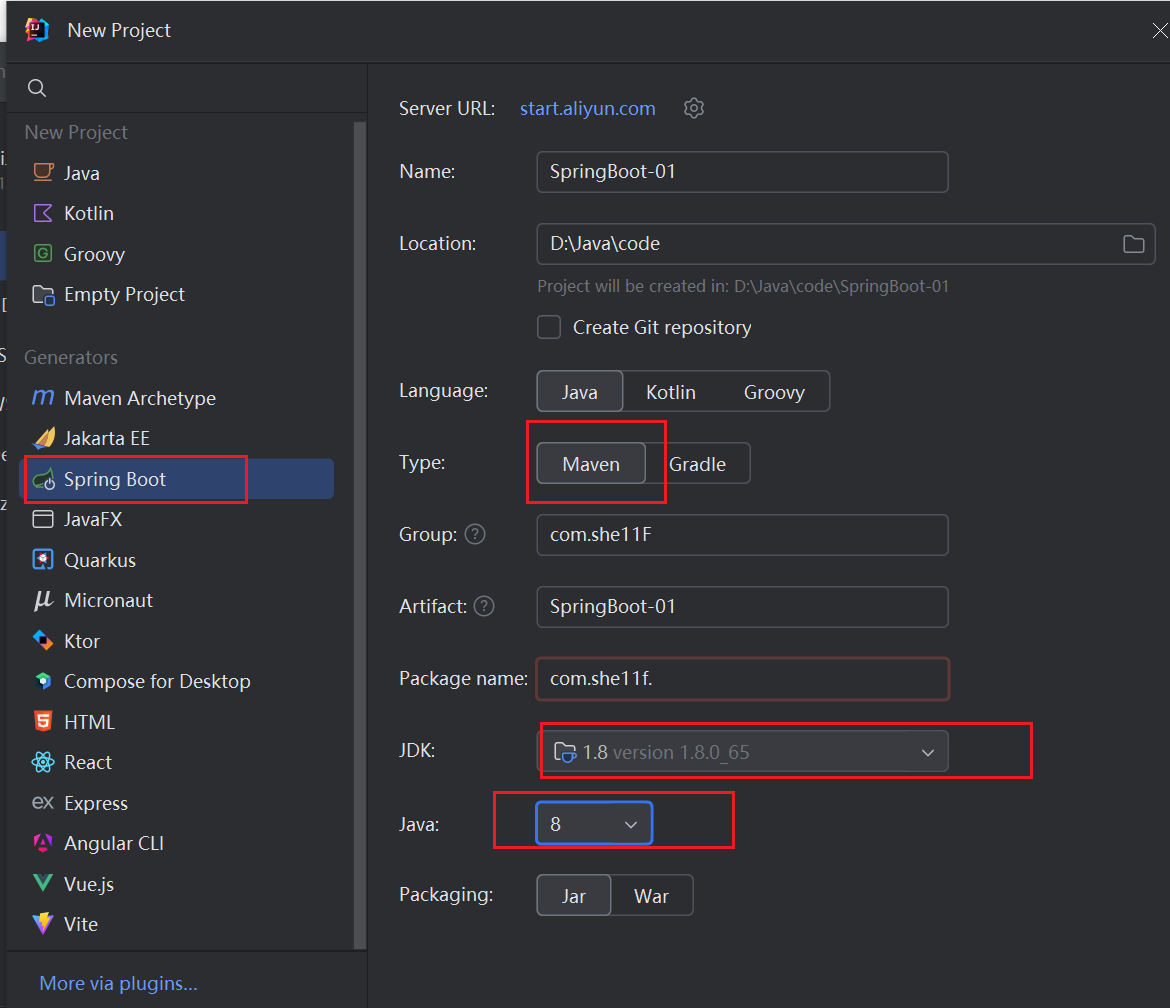
0x01 打开 IDEA,新建项目
注意到Spring Boot 官方不再支持 Spring Boot 的 2.x 版本了,之后全力维护 3.x;而 Spring Boot 3.x 对 JDK 版本的最低要求是 17!所以我们选不了 java8 语言版本,我可以替换 Server URL 为阿里的镜像站,这样就可以选了 https://start.aliyun.com/
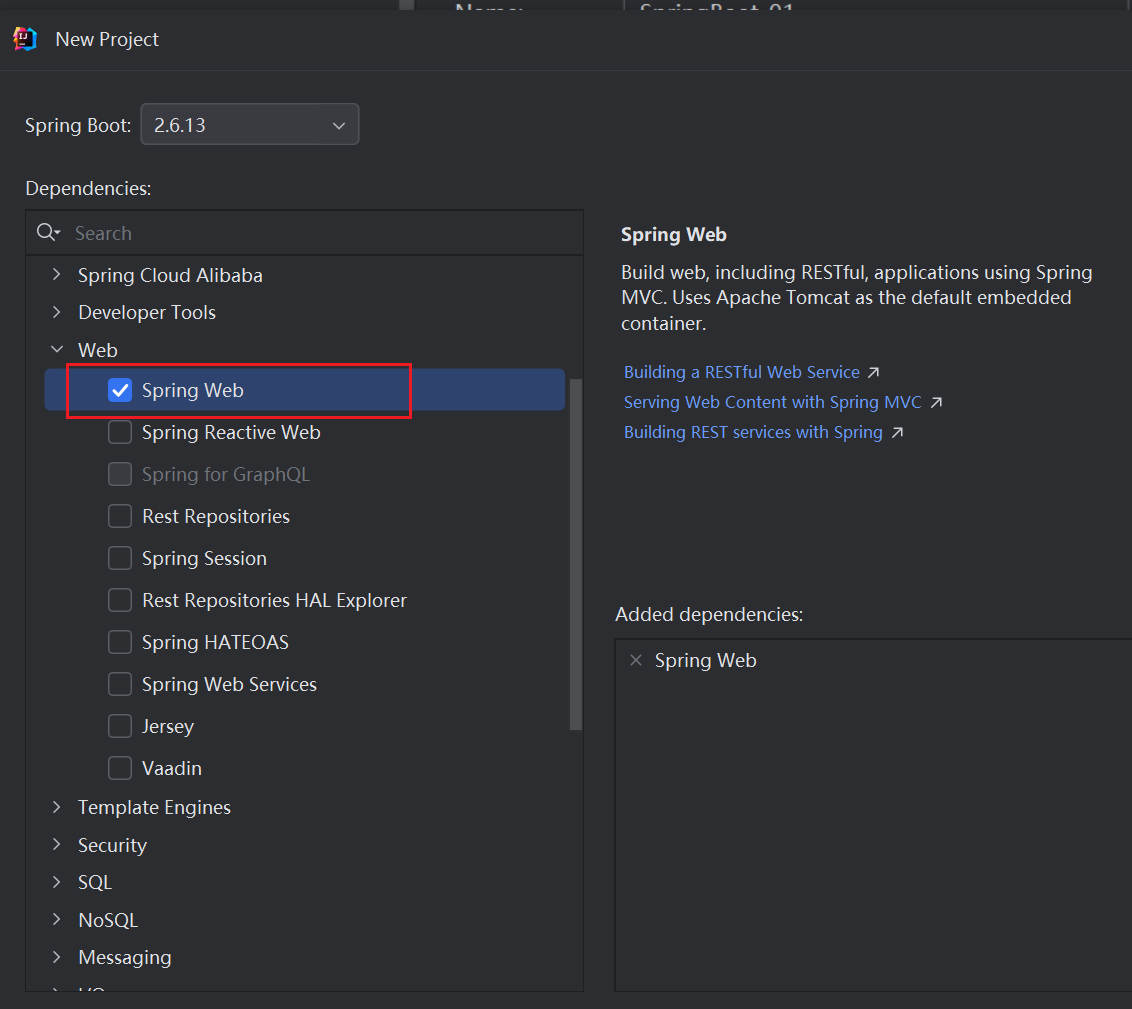
0x02 选择 SpringBoot 版本,配置依赖
这里 jdk8 的话—定要选 SpringBoot 小于3.0.0的版本,依赖先添加一个 Spring Web,也可以不添加
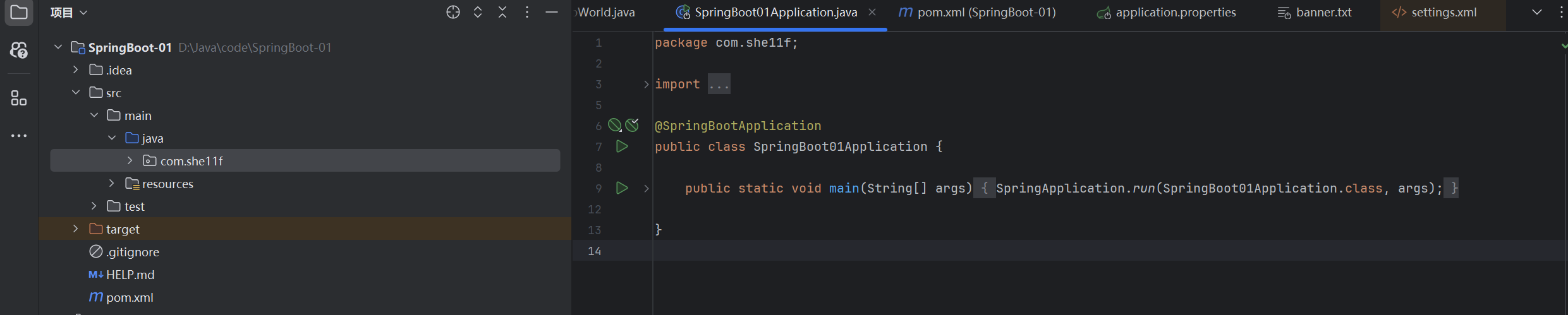
创建完成后把 demo 目录删掉
0x03 配置启动端口,并且测试
在 resources 文件夹下找到 application.properties 文件,设置启动端口为 8088
编写一个控制类
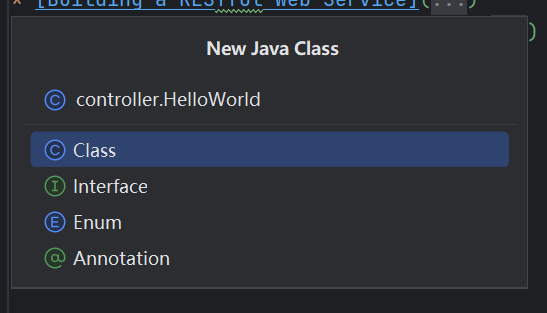
在启动页面同一级目录下,创建 controller 文件夹
编写
1
2
3
4
5
6
7
8
9
10
11
12
13
| package com.she11f.controller;
import org.springframework.web.bind.annotation.RequestMapping;
import org.springframework.web.bind.annotation.RestController;
@RestController
@RequestMapping("/hello")
public class HelloWorld {
@RequestMapping("/hello")
public String helloWorld() {
return "Hello World!";
}
}
|
其中:@RestController = @Controller + @ResponseBody
而@ResponseBody : 该注解用于将Controller 的方法返回对象,
通过适当的HttpMessageConverter转换为指定格式后,写入Response对象的body数据区。
@Controller 不用解释了
另外:@RequestMapping :用来处理请求地址映射的注解,可用于类或方法上。
也可以写作 GetMapping 、PostMapping、PutMapping 、DeleteMapping 、PatchMapping。
这些在后面的文章我们在详细说明。
然后直接启动,访问 127.0.0.1:8088/hello/hello
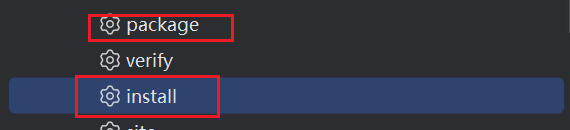
也可以把程序打包成 jar 包,然后命令行启动。点击 Maven 生命周期里的 package ,install
然后在 target 目录下发现一个 jar 包就证明打包成功了。
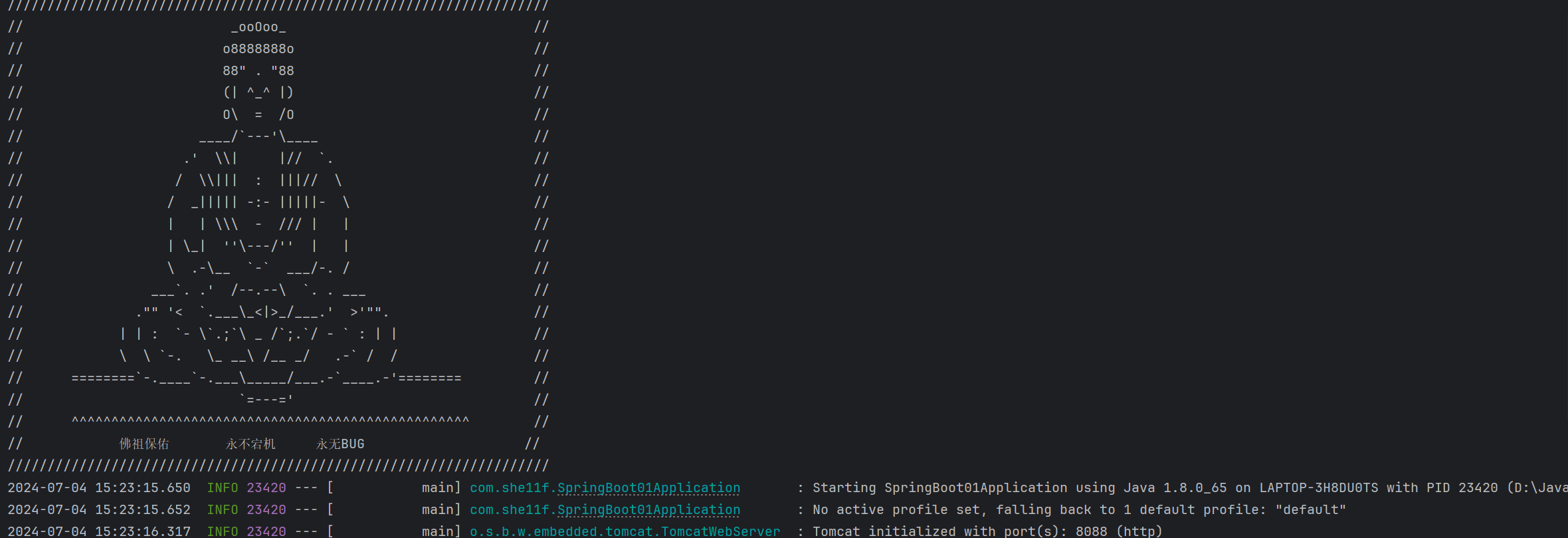
还能 DIY 一下,更改启动时banner图案。到项目下的 resources 目录下新建一个banner.txt 即可:
图案可以到网站 https://www.bootschool.net/ascii 生成,拷贝到文件中即可!
SpringBoot 运行原理
贴个链接吧,感觉这个对开发来说都很难理解,先学会如何用吧。 Spring Boot:最全SpringBoot启动流程原理分析(全网最全最完善)-腾讯云开发者社区-腾讯云 (tencent.com)
Yaml 语法
SpringBoot使用一个全局的配置文件 , 配置文件名称是固定的
- application.properties
- application.yml
配置文件的作用 :修改SpringBoot自动配置的默认值,因为SpringBoot在底层都给我们自动配置好了;
就比如我们在项目创建的时候修改过 tomcat 启动端口为 8088,就是在 **application.properties **文件中修改。
0x01 yaml概述
传统xml配置:
1
| <server><port>8081<port></server>
|
yaml配置:
说明:语法要求严格!
- 空格不能省略
- 以缩进来控制层级关系,只要是左边对齐的一列数据都是同一个层级的。
- 属性和值的大小写都是十分敏感的。
0x02 基本写法
对象、Map(键值对)
在下一行来写对象的属性和值得关系,注意缩进;比如:
1
2
3
| student:
name: she11F
age: 3
|
对了,我用的这个博客 hexo 配置文件就是用的 yaml
行内写法
1
| student: {name: qinjiang,age: 3}
|
数组( List、set )
用 - 值表示数组中的一个元素,比如:
1
2
3
4
| pets:
- cat
- dog
- pig
|
行内写法
yaml 修改端口号的话就是这样写
我们删除 application.properties ,新建 application.yaml
Web开发
0x01 静态资源处理
webjars 导入
Webjars本质就是以jar包的方式引入我们的静态资源 , 我们以前要导入一个静态资源文件,直接导入即可。
网站:https://www.webjars.org
比如说要使用jQuery,选择 maven 坐标,我们只要要引入jQuery对应版本的pom依赖即可!
1
2
3
4
5
| <dependency>
<groupId>org.webjars.npm</groupId>
<artifactId>github-com-jquery-jquery</artifactId>
<version>3.6.0</version>
</dependency>
|
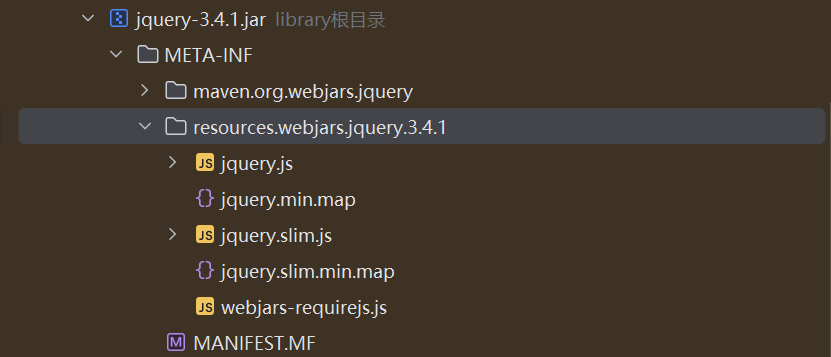
访问:只要是静态资源,SpringBoot就会去对应的路径寻找资源,我们这里访问:127.0.0.1:8088/webjars/jquery/3.4.1/jquery.js 就能看到 jquery 源码
静态资源映射规则
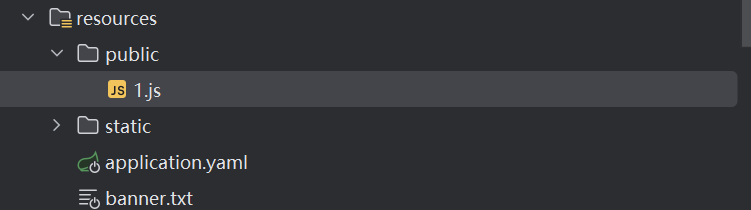
可以在 resources 文件夹下建立 public,static,resources,templates 文件夹来存放静态文件,比如在 public 下创办 1.js
访问路径 127.0.0.1:8088/1.js,它就会自动去寻找
0x02 thymeleaf 模板引擎
模板引擎的作用就是我们来写一个页面模板,比如有些值呢,是动态的,我们写一些表达式。而这些值,从哪来呢,就是我们在后台封装一些数据。然后把这个模板和这个数据交给我们模板引擎,模板引擎按照我们这个数据帮你把这表达式解析、填充到我们指定的位置,然后把这个数据最终生成一个我们想要的内容给我们写出去,这就是我们这个模板引擎,不管是jsp还是其他模板引擎,都是这个思想。只不过呢,就是说不同模板引擎之间,他们可能这个语法有点不一样。其他的我就不介绍了,我主要来介绍一下SpringBoot 给我们推荐的 Thymeleaf 模板引擎,这模板引擎呢,是一个高级语言的模板引擎,他的这个语法更简单。而且呢,功能更强大。
jsp支持非常强大的功能,包括能写Java代码,但是呢,我们现在的这种情况,SpringBoot这个项目首先是以jar的方式,不是war,像第二,我们用的还是嵌入式的Tomcat,所以呢,他现在默认是不支持jsp的
Thymeleaf 官网:https://www.thymeleaf.org/
Thymeleaf 在Github 的主页:https://github.com/thymeleaf/thymeleaf
Spring官方文档:找到我们对应的版本
https://docs.spring.io/spring-boot/docs/2.2.5.RELEASE/reference/htmlsingle/#using-boot-starter
找到对应的pom依赖:可以适当点进源码看下本来的包!
1
2
3
4
5
| <!--thymeleaf-->
<dependency>
<groupId>org.springframework.boot</groupId>
<artifactId>spring-boot-starter-thymeleaf</artifactId>
</dependency>
|
Maven会自动下载jar包,我们可以去看下下载的东西;
使用:
我们只需要把我们的html页面放在类路径下的 templates 下,thymeleaf就可以帮我们自动渲染了。在 templates 文件夹下新建 index.html 文件
要使用thymeleaf,需要在html文件中导入命名空间的约束,方便提示。可以去官方文档的#3中看一下命名空间拿来过来
1
| xmlns:th="http://www.thymeleaf.org"
|
编写 html 页面
1
2
3
4
5
6
7
8
9
10
11
12
13
| <!DOCTYPE html>
<html lang="en" xmlns:th="http://www.thymeleaf.org">
<head>
<meta charset="UTF-8">
<title>测试页面</title>
</head>
<body>
<h1>Test</h1>
<div th:text="${msg}"></div>
</body>
</html>
|
templates 目录下所有页面,只能通过 controller 来跳转。创建一个 test.html,控制器里的映射必须是 test 才行
1
2
3
4
5
6
7
8
9
10
11
12
13
14
15
16
| package com.she11f.controller;
import org.springframework.stereotype.Controller;
import org.springframework.ui.Model;
import org.springframework.web.bind.annotation.RequestMapping;
@Controller
public class ThymeleafDemo {
@RequestMapping("/test")
public String test1(Model model){
model.addAttribute("msg","Hello,Thymeleaf");
return "test";
}
}
|
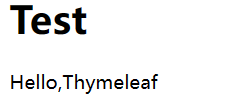
访问 http://127.0.0.1:8088/test
控制器页面
1
2
3
4
5
6
7
8
9
10
11
12
13
14
15
16
17
18
19
20
| package com.she11f.controller;
import org.springframework.stereotype.Controller;
import org.springframework.ui.Model;
import org.springframework.web.bind.annotation.RequestMapping;
import java.util.Arrays;
import java.util.Map;
@Controller
public class ThymeleafDemo {
@RequestMapping("/test")
public String test2(Map<String,Object> map){
map.put("msg","<h1>Hello</h1>");
map.put("users", Arrays.asList("zhangsan","lisi"));
return "test";
}
}
|
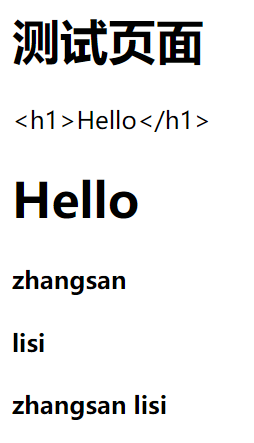
html 页面语法其实和 vue 差不多
1
2
3
4
5
6
7
8
9
10
11
12
13
14
15
16
17
18
19
20
| <!DOCTYPE html>
<html lang="en" xmlns:th="http://www.thymeleaf.org">
<head>
<meta charset="UTF-8">
<title>测试</title>
</head>
<body>
<h1>测试页面</h1>
<div th:text="${msg}"></div>
<div th:utext="${msg}"></div>
<h4 th:each="user :${users}" th:text="${user}"></h4>
<h4>
<span th:each="user:${users}">[[${user}]] </span>
</h4>
</body>
</html>
|
员工管理系统搭建
素材来自于 链接:https://pan.baidu.com/s/1ITFMd_myJBYI3zv1N9w_Aw 提取码:z7x8
0x01 准备工作
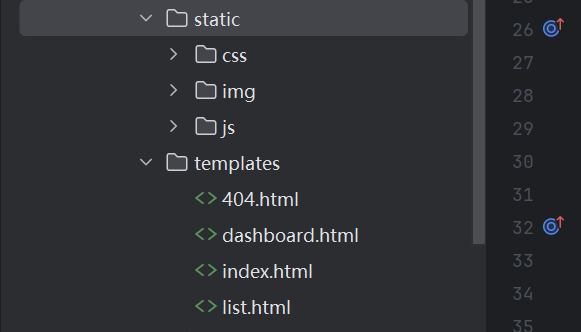
先导入四个静态页面导入 templates 文件夹下,静态资源放入 static 文件夹
暂时手动模拟数据库
编写 pojo 层
员工表
1
2
3
4
5
6
7
8
9
10
11
12
13
14
15
16
17
18
19
20
21
22
23
24
25
26
| package com.she11f.pojo;
import lombok.AllArgsConstructor;
import lombok.Data;
import lombok.NoArgsConstructor;
import java.util.Date;
@Data
@NoArgsConstructor
public class Employee {
private Integer id;
private String lastName;
private String email;
private Integer gender;
private Department department;
private Date birth;
public Employee(Integer id, String lastName, String email, Integer gender, Department department) {
this.id = id;
this.lastName = lastName;
this.email = email;
this.gender = gender;
this.department = department;
this.birth = new Date();
}
}
|
部门表
1
2
3
4
5
6
7
8
9
10
11
12
| package com.she11f.pojo;
import lombok.AllArgsConstructor;
import lombok.Data;
import lombok.NoArgsConstructor;
@Data
@AllArgsConstructor
@NoArgsConstructor
public class Department {
private int id;
private String departmentName;
}
|
添加lombok依赖
1
2
3
4
5
|
<dependency>
<groupId>org.projectlombok</groupId>
<artifactId>lombok</artifactId>
</dependency>
|
编写dao层
部门 dao
1
2
3
4
5
6
7
8
9
10
11
12
13
14
15
16
17
18
19
20
21
22
23
24
25
26
27
28
29
30
31
32
33
34
35
36
37
| package com.she11f.dao;
import com.she11f.pojo.Department;
import org.springframework.stereotype.Repository;
import java.util.Collection;
import java.util.HashMap;
import java.util.Map;
@Repository
public class DepartmentDao {
private static Map<Integer, Department>departments = null;
static {
departments = new HashMap<Integer, Department>();
departments.put(101,new Department(101,"教学部"));
departments.put(102,new Department(102,"市场部"));
departments.put(103,new Department(103,"教研部"));
departments.put(104,new Department(104,"运营部"));
departments.put(105,new Department(105,"后勤部"));
}
public Collection<Department> getDepartments(){
return departments.values();
}
public Department getDepartmentById(Integer id){
return departments.get(id);
}
}
|
员工dao
1
2
3
4
5
6
7
8
9
10
11
12
13
14
15
16
17
18
19
20
21
22
23
24
25
26
27
28
29
30
31
32
33
34
35
36
37
38
39
40
41
42
43
44
45
46
47
48
49
50
51
52
53
54
55
56
| package com.she11f.dao;
import com.she11f.pojo.Department;
import com.she11f.pojo.Employee;
import org.springframework.beans.factory.annotation.Autowired;
import org.springframework.stereotype.Repository;
import java.util.Collection;
import java.util.HashMap;
import java.util.Map;
@Repository
public class EmployeeDao {
private static Map<Integer, Employee> employees= null;
@Autowired
private DepartmentDao departmentDao;
static {
employees = new HashMap<Integer,Employee>();
employees.put(1001,new Employee( 1001,"AA","1622840727@qq.com",1,new Department(101,"教学部")));
employees.put(1002,new Employee( 1002,"BB","2622840727@qq.com",0,new Department(102,"市场部")));
employees.put(1003,new Employee( 1003,"CC","4622840727@qq.com",1,new Department(103,"教研部")));
employees.put(1004,new Employee( 1004,"DD","5628440727@qq.com",0,new Department(104,"运营部")));
employees.put(1005,new Employee( 1005,"FF","6022840727@qq.com",1,new Department(105,"后勤部")));
}
private static Integer ininId = 1006;
public void save(Employee employee){
if(employee.getId() == null){
employee.setId(ininId++);
}
employee.setDepartment(departmentDao.getDepartmentById(employee.getDepartment().getId()));
employees.put(employee.getId(),employee);
}
public Collection<Employee>getALL(){
return employees.values();
}
public Employee getEmployeeById(Integer id){
return employees.get(id);
}
public void delete(Integer id){
employees.remove(id);
}
}
|
0x02 首页实现
引入Thymeleaf
1
2
3
4
5
6
7
8
| <dependency>
<groupId>org.thymeleaf</groupId>
<artifactId>thymeleaf-spring5</artifactId>
</dependency>
<dependency>
<groupId>org.thymeleaf.extras</groupId>
<artifactId>thymeleaf-extras-java8time</artifactId>
</dependency>
|
编写 MyMvcConfig
1
2
3
4
5
6
7
8
9
10
11
12
13
14
15
| package com.she11f.config;
import org.springframework.context.annotation.Configuration;
import org.springframework.web.servlet.config.annotation.ViewControllerRegistry;
import org.springframework.web.servlet.config.annotation.WebMvcConfigurer;
@Configuration
public class MyMvcConfig implements WebMvcConfigurer {
@Override
public void addViewControllers(ViewControllerRegistry registry) {
registry.addViewController("/").setViewName("index");
registry.addViewController("/index.html").setViewName("index");
}
}
|
用 thymeleaf 语法更改静态资源路径
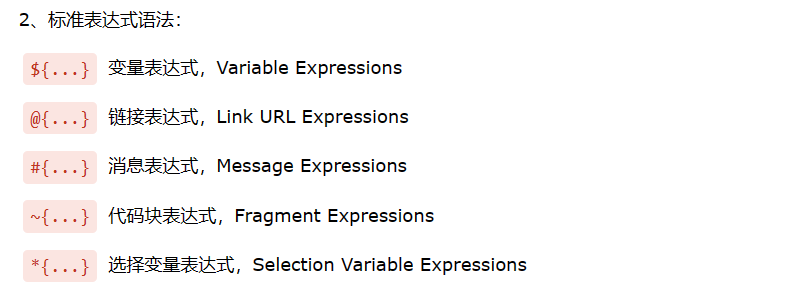
所有的静态资源路径都需要使用thymeleaf接管:@{},th:href,th:src
1
2
| <link href="asserts/css/bootstrap.min.css" rel="stylesheet">
<link th:href="@{/css/bootstrap.min.css}" rel="stylesheet">
|
application.yml 修改
1
2
3
4
| # 关闭模板引擎的缓存
spring:
thymeleaf:
cache=false:
|
启动程序,打开 localhost:8088,首页设置成功
0x03 登录+拦截器
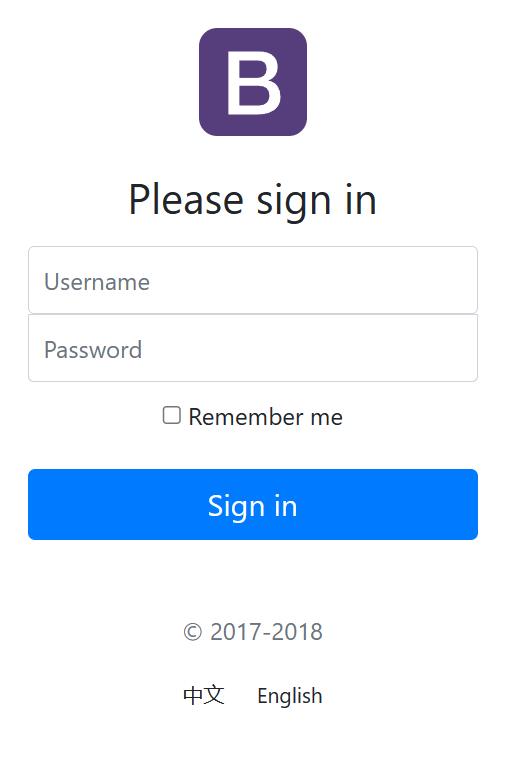
先给登陆页面表单提交写一个 controller,登录页先换成 thymeleaf 语法。
1
| <form class="form-signin" th:action="@{/user/login}" method="post">
|
// 这里面的所有 input 标签都需要加上一个name属性,不然拦截器得不到参数
编写 MyMvcConfig
1
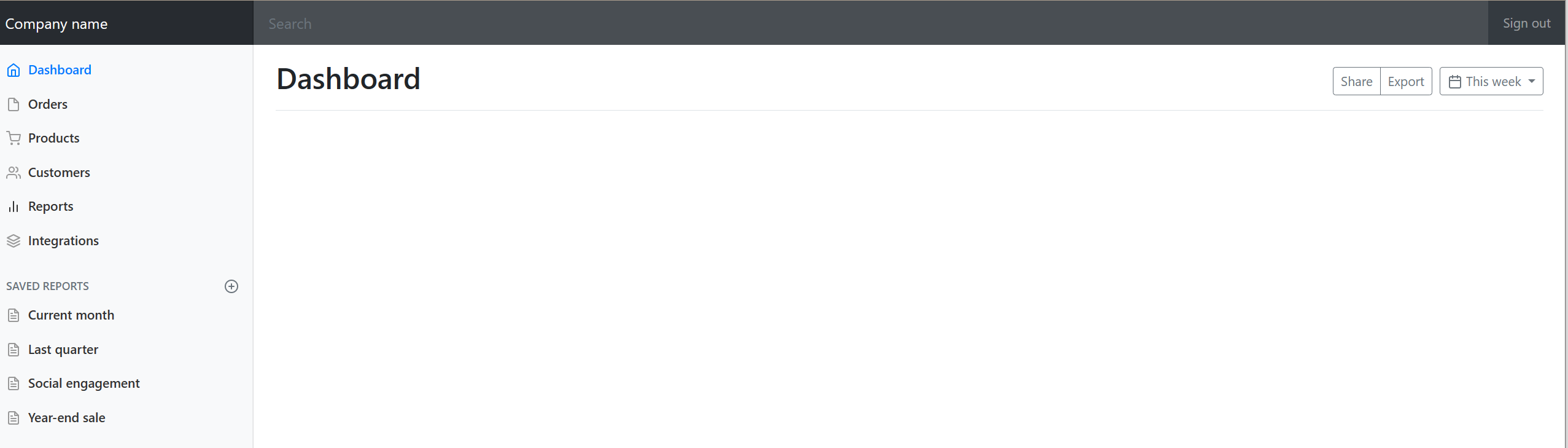
| registry.addViewController("/main.html").setViewName("dashboard");
|
编写 LoginController
1
2
3
4
5
6
7
8
9
10
11
12
13
14
15
16
17
18
| @Controller
public class LoginController {
@RequestMapping("/user/login")
public String login(
@RequestParam("username") String username ,
@RequestParam("password") String password,
Model model){
if(!StringUtils.isEmpty(username)&&"123456".equals(password)){
return "redirect:/main.html";
}
else{
model.addAttribute("msg","用户名或者密码错误!");
return "index";
}
}
}
|
测试成功登录
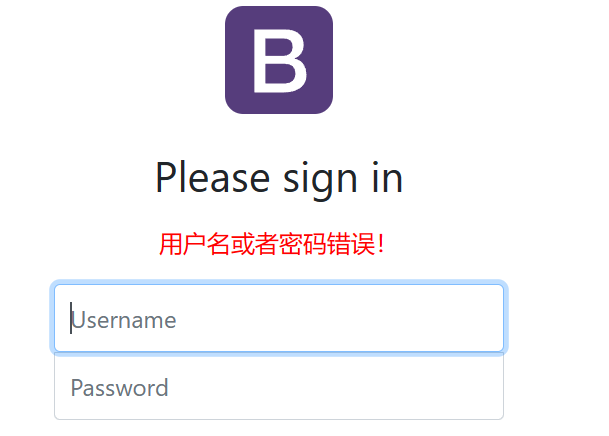
登录失败的话,我们需要将后台信息输出到前台,可以在首页标题下面加上判断
1
2
3
|
<p style="color: red" th:text="${msg}" th:if="${not #strings.isEmpty(msg)}">
</p>
|
接着添加拦截器,在 LoginController 页面添加 session
1
| session.setAttribute("loginUser",username);
|
在 config 下自定义一个拦截器 LoginHandlerInterceptor
1
2
3
4
5
6
7
8
9
10
11
12
13
14
15
16
17
18
19
20
21
22
23
| package com.she11f.config;
import org.springframework.web.servlet.HandlerInterceptor;
import javax.servlet.http.HttpServletRequest;
import javax.servlet.http.HttpServletResponse;
public class LoginHandlerInterceptor implements HandlerInterceptor {
@Override
public boolean preHandle(HttpServletRequest request, HttpServletResponse response, Object handler) throws Exception {
Object user = request.getSession().getAttribute("loginUser");
if(user == null){
request.setAttribute("msg","没有权限,请先登录");
request.getRequestDispatcher("/index.html").forward(request,response);
return false;
}else{
return true;
}
}
}
|
然后将拦截器注册到我们的 SpringMVC 配置类当中!
1
2
3
4
5
6
7
8
| @Override
public void addInterceptors(InterceptorRegistry registry) {
registry.addInterceptor(new LoginHandlerInterceptor())
.addPathPatterns("/**")
.excludePathPatterns("/index.html","/user/login","/","/css/*","/img/**","/js/**");
}
|
我们然后在后台主页,获取用户登录的信息
1
2
| <!--后台主页显示登录用户的信息-->
[[${session.loginUser}]] <!--$取EL表达式-->
|
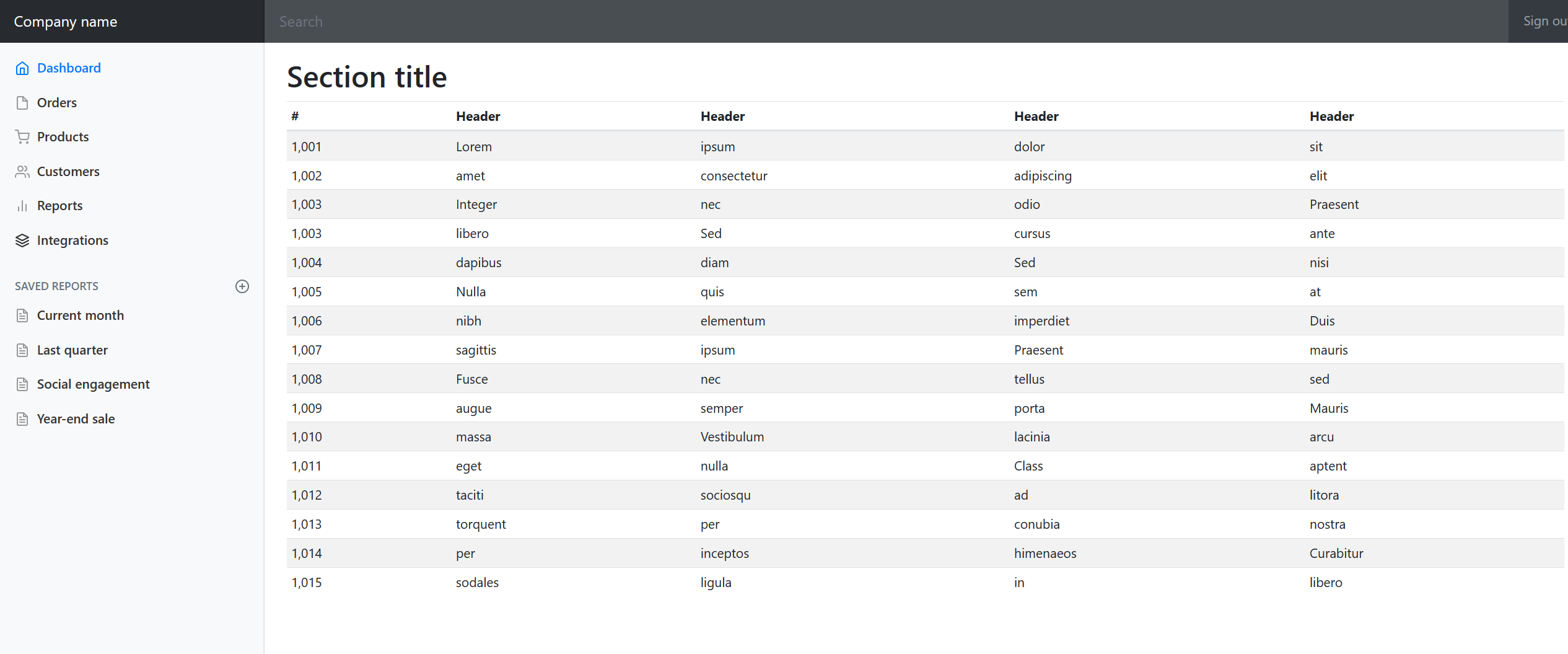
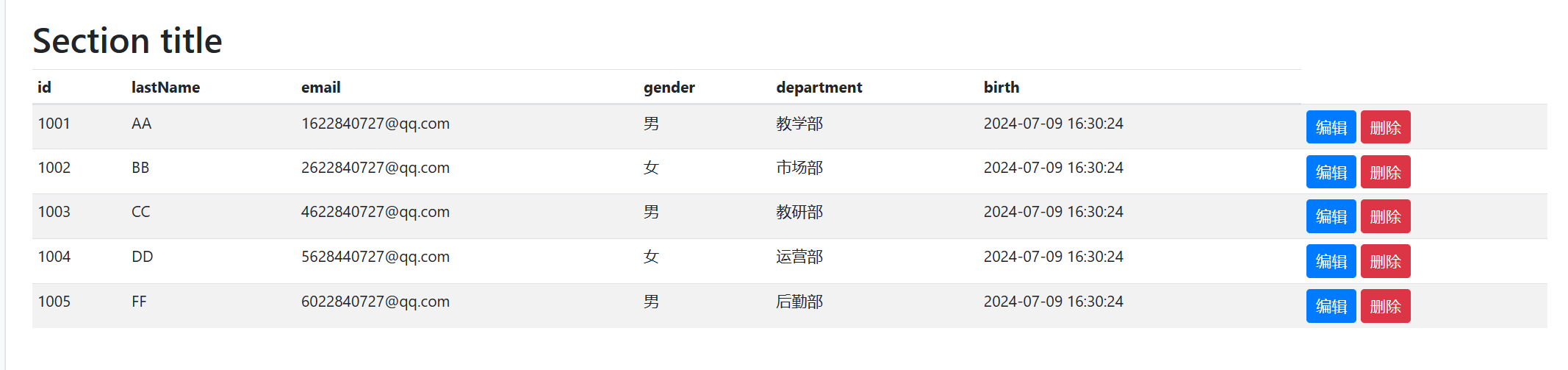
0x04 员工列表展示
将首页的侧边栏Customers改为员工管理、
添加 a 链接跳转
1
| <a class="nav-link" th:href="@{/emps}">员工管理</a>
|
list 移动至 emp 文件夹下
编写处理请求的controller
1
2
3
4
5
6
7
8
9
10
11
12
13
14
15
16
17
18
19
20
21
22
23
24
25
26
| package com.she11f.controller;
import com.she11f.dao.EmployeeDao;
import com.she11f.pojo.Employee;
import org.springframework.beans.factory.annotation.Autowired;
import org.springframework.stereotype.Controller;
import org.springframework.ui.Model;
import org.springframework.web.bind.annotation.RequestMapping;
import java.util.Collection;
@Controller
public class EmployeeController {
@Autowired
EmployeeDao employeeDao;
@RequestMapping("/emps")
public String list(Model model){
Collection<Employee> employees = employeeDao.getALL();
model.addAttribute("emps",employees);
return "emp/list";
}
}
|
拿一下数据顺便美化一下页面
1
2
3
4
5
6
7
8
9
10
11
12
13
14
15
16
17
18
19
20
21
22
23
24
| <thead>
<tr>
<th>id</th>
<th>lastName</th>
<th>email</th>
<th>gender</th>
<th>department</th>
<th>birth</th>
</tr>
</thead>
<tbody>
<tr th:each="emp:${emps}">
<td th:text="${emp.getId()}"></td>
<td th:text="${emp.getLastName()}"></td>
<td th:text="${emp.getEmail()}"></td>
<td th:text="${emp.getGender()==0?'女':'男'}"></td>
<td th:text="${emp.department.getDepartmentName()}"></td>
<td th:text="${#dates.format(emp.getBirth(),'yyyy-MM-dd HH:mm:ss')}"></td>
<td>
<button class="btn btn-sm btn-primary">编辑</button>
<button class="btn btn-sm btn-danger">删除</button>
</td>
</tr>
</tbody>
|
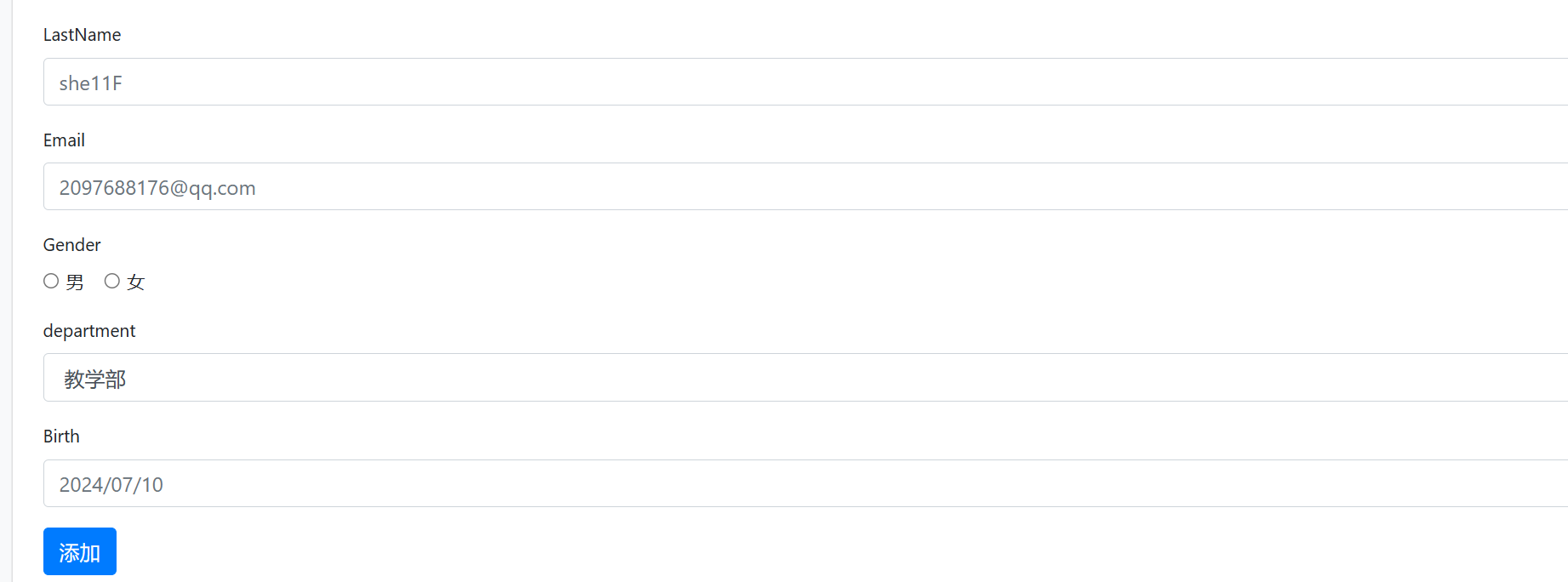
0x05 添加员工
先修改跳转链接
1
| <h2><a class="btn btn-sm btn-success" th:href="@{/emp}">添加员工</a></h2>
|
在员工控制器里加一条规则
1
2
3
4
| @RequestMapping("/emp")
public String toAddPage(){
return "emp/add";
}
|
编写 add.html,复制 list.html 然后把表单部分换进来
1
2
3
4
5
6
7
8
9
10
11
12
13
14
15
16
17
18
19
20
21
22
23
24
25
26
27
28
| <form th:action="@{/emp}" method="post" >
<div class="form-group" ><label>LastName</label>
<input class="form-control" placeholder="she11F" type="text" name="lastName">
</div>
<div class="form-group" ><label>Email</label>
<input class="form-control" placeholder="2097688176@qq.com" type="email" name="email">
</div>
<div class="form-group"><label>Gender</label><br/>
<div class="form-check form-check-inline">
<input class="form-check-input" name="gender" type="radio" value="1">
<label class="form-check-label">男</label>
</div>
<div class="form-check form-check-inline">
<input class="form-check-input" name="gender" type="radio" value="0">
<label class="form-check-label">女</label>
</div>
</div>
<div class="form-group" ><label>department</label>
<select class="form-control" name="department.id">
<option th:each="dept:${departments}" th:text="${dept.getDepartmentName()}" th:value="${dept.getId()}"></option>
</select>
</div>
<div class="form-group" >
<label >Birth</label>
<input class="form-control" placeholder="2024/7/10" type="text" name="birth">
</div>
<button class="btn btn-primary" type="submit">添加</button>
</form>
|
编写一个/emp post 控制器来实现表单提交
1
2
3
4
5
6
7
8
9
10
|
@PostMapping("/emp")
public String addEmp(Employee employee){
System.out.println(employee);
employeeDao.save(employee);
return "redirect:/emps";
}
|
添加成功
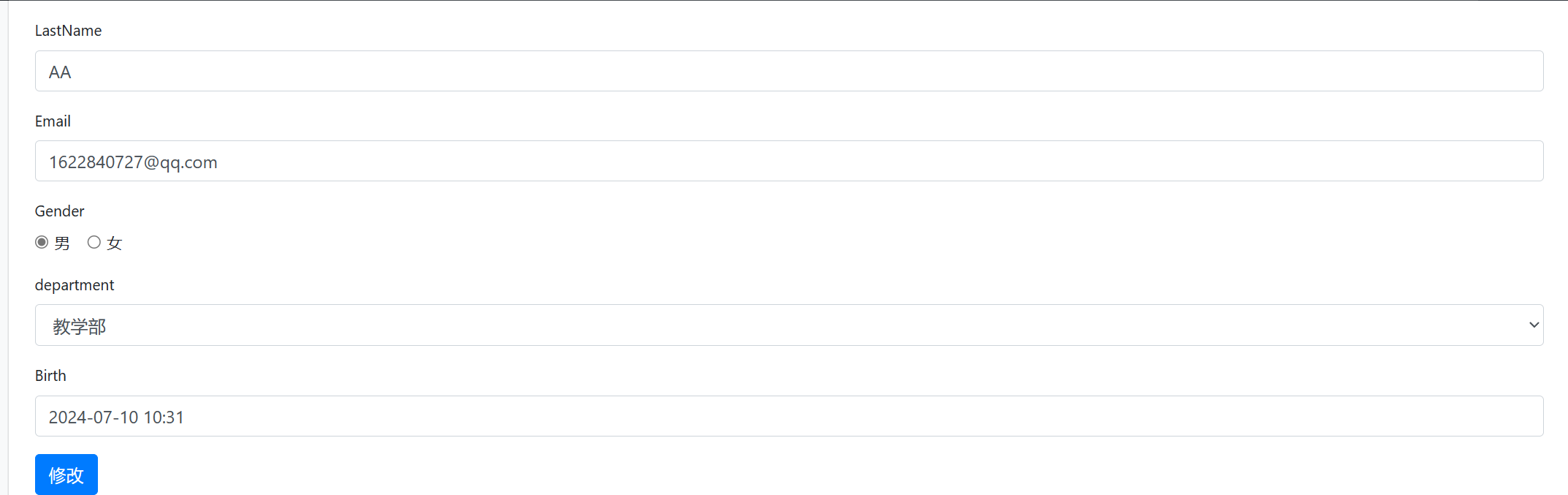
0x06 修改员工信息
修改跳转链接的位置
1
| <a class="btn btn-sm btn-primary" th:href="@{/emp/}+${emp.getId()}">编辑</a>
|
编写跳转控制器
1
2
3
4
5
6
7
8
9
10
11
|
@GetMapping("/emp/{id}")
public String toUpdateEmp(@PathVariable("id") Integer id,Model model){
Employee employee = employeeDao.getEmployeeById(id);
model.addAttribute("emp",employee);
Collection<Department> departments = departmentDao.getDepartments();
model.addAttribute("departments",departments);
return "emp/update";
}
|
编写 update 页面,复制 add 页面,修改其表单
1
2
3
4
5
6
7
8
9
10
11
12
13
14
15
16
17
18
19
20
21
22
23
24
25
26
27
28
29
| <form th:action="@{/emp}" method="post" >
<input type="hidden" name="id" th:value="${emp.getId()}">
<div class="form-group" ><label>LastName</label>
<input th:value="${emp.getLastName()}" class="form-control" placeholder="kuangshen" type="text" name="lastName">
</div>
<div class="form-group" ><label>Email</label>
<input th:value="${emp.getEmail()}" class="form-control" placeholder="24736743@qq.com" type="email" name="email">
</div>
<div class="form-group"><label>Gender</label><br/>
<div class="form-check form-check-inline">
<input th:checked="${emp.getGender()==1}" class="form-check-input" name="gender" type="radio" value="1">
<label class="form-check-label">男</label>
</div>
<div class="form-check form-check-inline">
<input th:checked="${emp.getGender()==0}" class="form-check-input" name="gender" type="radio" value="0">
<label class="form-check-label">女</label>
</div>
</div>
<div class="form-group" ><label>department</label>
<select class="form-control" name="department.id">
<option th:selected="${dept.id==emp.getDepartment().getId()}" th:each="dept:${departments}" th:text="${dept.getDepartmentName()}" th:value="${dept.getId()}"></option>
</select>
</div>
<div class="form-group" >
<label >Birth</label>
<input th:value="${#dates.format(emp.birth,'yyyy-MM-dd HH:mm')}" class="form-control" placeholder="2021-02-02" type="text" name="birth">
</div>
<button class="btn btn-primary" type="submit">修改</button>
</form>
|
修改成功
0x07 删除员工以及404页面实现
编写跳转
1
| <a class="btn btn-sm btn-danger" th:href="@{/delemp/}+${emp.getId()}">删除</a>
|
编写控制器
1
2
3
4
5
6
|
@GetMapping("/delemp/{id}")
public String deleteEmp(@PathVariable("id") Integer id){
employeeDao.delete(id);
return "redirect:/emps";
}
|
测试,成功删除员工。
新建 error 文件夹,把 404.html 移进去即可,访问不存在的路由,返回我们的 4040 页面